


Desk weight capacity is the load the manufacturer permits for a specified desk configuration and use. It is not a universal allowance for every desk with the same size or number of legs. For an adjustable desk, the load it can raise and lower matters as well as any stationary rating.
To judge your setup, use the applicable rating, add the installed equipment and include the tabletop when the rating requires it. Then check any local attachment, such as a monitor-arm clamp, separately. The worked example below shows what belongs in the total.
What the capacity rating means
A static load stays still, such as a computer resting on a desk. A static rating does not by itself cover lifting that load, an impact or a person leaning or climbing on the surface. Read the conditions attached to the number, not just the largest figure on the product page.
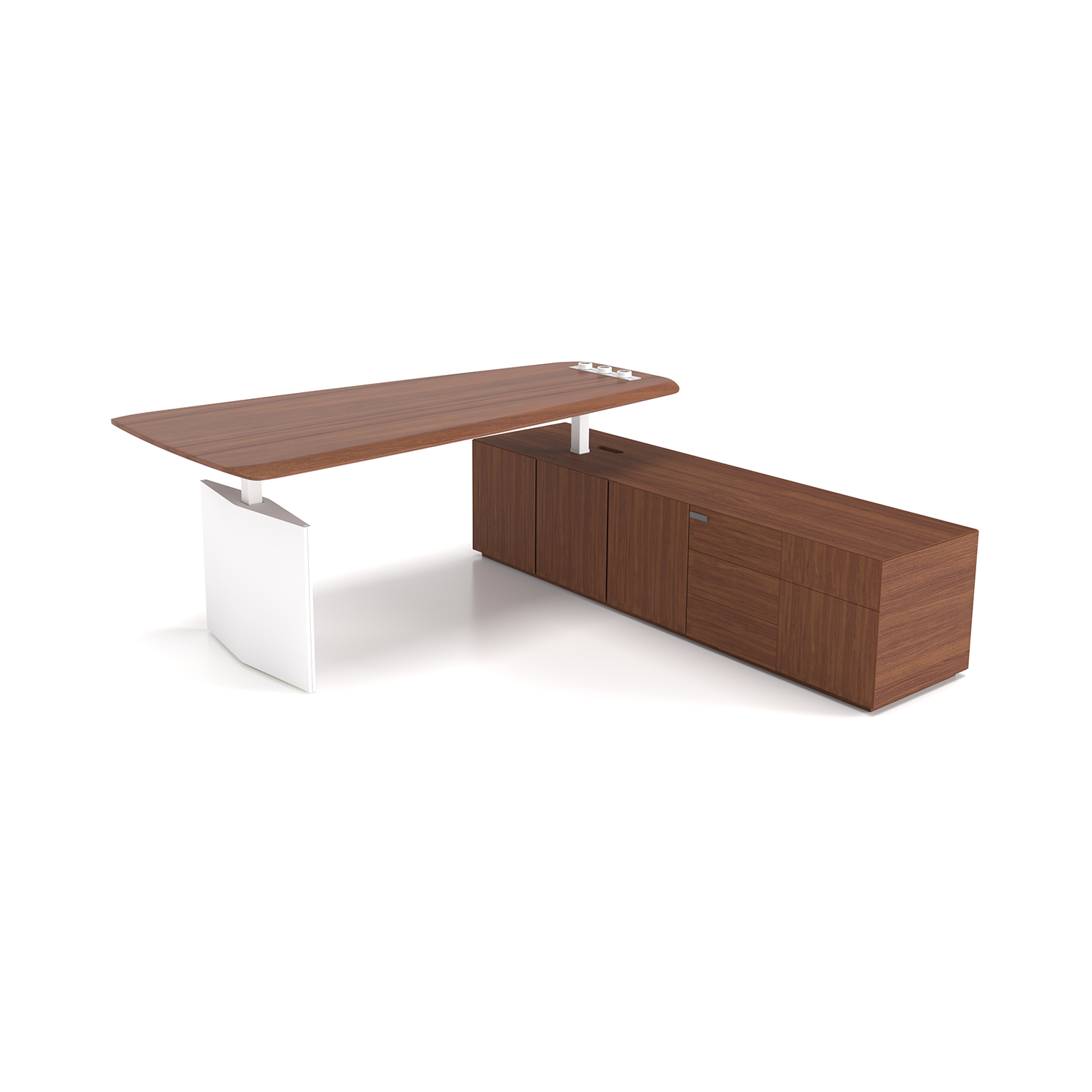
Ranks executive desk with a broad tabletop and side storage cabinet.
Different ratings answer different questions | ||
Rating | What it covers | Important boundary |
|---|---|---|
Complete desk, stationary | The specified desk while still, under the stated load arrangement | Not automatic permission to lift that load or clamp anywhere |
Lifting capacity | The load the adjustable system may raise and lower | Use the specified top, accessories and operating conditions |
Frame capacity | The stated frame and its allowed configuration | Find out whether the tabletop is included in the load |
Additional equipment allowance | Items added to a supplied complete desk | Do not subtract the supplied top again if it is already allowed for |
UC ANR's height-adjustable desk guidance warns against exceeding the capacity and notes trapping hazards in moving mechanisms. An apparently successful lift is not a test that establishes a different permitted limit.
A worked equipment total
Use the mass of each item as installed, not its shipping weight. Count a display without its removed stand and add the replacement arm separately. NIST distinguishes kilograms of mass from newtons of force; keep the units consistent when comparing an equipment list with a rating.
Teaching example: all masses are assumed, not typical specifications | |
Installed item | Assumed mass |
|---|---|
Two displays without their original stands | 12 kg |
Monitor-arm assembly | 4 kg |
Computer | 10 kg |
Laptop and dock | 3 kg |
Keyboard, mouse and speakers | 2 kg |
Books and papers | 4 kg |
Attached tray and its contents | 3 kg |
Equipment total | 38 kg |
The sum is 12 + 4 + 10 + 3 + 2 + 4 + 3 = 38 kg. A hanging tray still loads the desk even though it is below the top. An item supported independently by floor-standing furniture does not belong in this desk total.
Does the tabletop count?
If the frame rating includes the tabletop, and this example top weighs 22 kg, compare 38 + 22 = 60 kg with that rating. Add any other components its definition includes.
If the supplied complete desk instead has an additional equipment allowance, compare the 38 kg equipment total with that allowance. Do not subtract the supplied top a second time.
These calculations organize the load; they do not prove that a real desk or clamp is suitable. Include known future additions and follow any spare-capacity margin specified for the model. Do not treat unused total capacity as permission for an otherwise unsuitable attachment or load position.
Load placement and monitor-arm mounting
Placement: The same total can be arranged differently. A computer and stack of books crowded onto one side do not reproduce a load spread across the desktop. If the rating specifies an evenly distributed load, do not treat it as permission to put the whole allowance in one small area.
Support and instructions: Sketch where the equipment will rest, including heavy items and the desk's supporting frame. Match that layout to any permitted load areas, distribution requirements and overhang limits in the desk instructions. Knowing where a leg or rail is does not establish a higher local allowance. If the instructions do not cover a concentrated load or overhang, get that arrangement clarified or use a supported configuration that they do cover.
In the example, the arm attachment carries both displays and the arm: 16 kg through one mounting area. Separate monitor bases would place their loads at several contacts. OpenStax explains the general principle that a given force produces greater average pressure over a smaller area; it does not provide a safe clamp load for your tabletop.

Close view of the Ranks desktop, inset outlets and under-top control panel.
A clamp also grips the top, and an extended arm changes how the attachment is loaded. A whole-desk rating cannot settle those local questions. Spreading other items across the surface does not repair an unsuitable clamp.
Match the actual screen mass and mounting method to the arm specification.
Use a desk-and-arm combination allowed by their instructions. Jaw opening alone only tells you whether the clamp can fit around the edge.
Account for the tabletop's construction, usable contact area and underside frame rails. Do not drill, improvise reinforcement or attach to an uncertain hollow or beveled area.
If the rating or mounting details are missing
Identify the model: Find the model label and the matching desk instructions. Ask for the permitted load, whether it includes the top, the lifting limit if applicable, and the allowed mounting arrangement. Until that is clear, do not treat an unlabelled desk as having a guessed allowance. Do not stand on it, jump on it or stack weights to test it.
Change only a defined part: If the current combination is unsuitable, change a defined part of it: use a documented compatible stand or desk, reduce the equipment, or move an item to furniture intended to support it. Keep office desk dimensions in view so the remaining equipment leaves usable work space.
For separate storage, under-desk storage ideas can help preserve legroom. A cabinet should carry its own intended contents, not act as an improvised extra desk support.
SpaceUnited's Ranks executive desk with side cabinet has fixed and height-adjustable main-table options. The fixed and moving versions are different configurations; use the load and mounting limits for the exact version you plan to use.
Two related capacity questions
Does a replacement tabletop keep the original capacity?
Not automatically. It changes the top's mass, construction and attachment. Use a combination covered by the frame and desk instructions, and reconsider any clamps attached to the replacement.
Does a desk converter have the same capacity as the desk beneath it?
No. The converter has its own equipment and movement limits. The supporting desk carries the converter plus its equipment through the converter's contact points. Both sets of conditions need to suit the arrangement.
Read the rating and the setup together
The equipment sum answers how much you are adding. The rating tells you which configuration and use that sum must match. Mounting instructions answer the local attachment question. Keep those three answers together when changing the desk or its equipment.
For a specific desk, keep the equipment weights and placement sketch together, then request that model's frame and mounting limits before choosing the setup.


Desk Organization Ideas for Shared and Individual Workstations
Useful desk organization ideas start with the work area: leave room to type, move the mouse and open the paper you are using. Keep a small set of daily tools nearby, and give everything else a place to return to.On an assigned desk, some personal tools can stay between sessions.
/ Read More
Under-Desk Storage Ideas That Keep Legroom and Cables Clear
A cabinet can fit beneath a desktop and still fail the workstation. It may take the employee’s preferred foot position, block the chair, trap a cable, or collide when an adjustable desk moves.Start by naming the items that need frequent access. Then reserve the employee’s knee, shin, and foot zone,
/ Read More
Office Chair Dimensions: Seat Width, Depth, Height & Desk Fit
Before ordering an office chair, check two things separately: whether the seat and arms fit the user, and whether the complete chair can reach the desk. Office chair dimensions such as overall width and total height cannot answer both questions.Start with named measurement points, then record the ad
/ Read More
Office Desk Dimensions: Width, Depth, Height & Room Fit
Choose a desk by checking three things: the equipment on top, the person working at it, and the space around it. A desktop can fit against a wall yet leave too little room for the chair or an open drawer.Office desk dimensions usually describe width, depth and height. They do not tell you the clear
/ Read More
Office Desk or Executive Office Desk Which Fits Your Private Office Needs
He steps into his new private office, ready to shape a productive environment that reflects his ambitions. The right desk sets the tone—an executive office desk offers a lasting impression for leaders who value prestige and authority, while a modern office desk supports professionals focused on effi
/ Read More
7 Expert Tips for Choosing the Best Manager Office Desk
The right manager office desk transforms the daily experience in any workspace. He gains efficiency, comfort, and a professional look with a desk that fits his needs. When choosing a manager office desk, he must consider size, material, and design to match his workflow.
/ Read More