


Choose a desk by checking three things: the equipment on top, the person working at it, and the space around it. A desktop can fit against a wall yet leave too little room for the chair or an open drawer.
Office desk dimensions usually describe width, depth and height. They do not tell you the clear space beneath the frame or the room needed to move. Keep those measurements separate.
Use the checks below to build a measured shortlist. You will find a size reference, equipment-layout steps and a worked room example to adapt before requesting a supplier drawing.
Read the dimensions before comparing desks
For an initial shopping reference, Effydesk's size guide lists office desks at 48–72 inches wide, 24–30 inches deep and 28–30 inches high. That is roughly 122–183 × 61–76 × 71–76 cm. Treat these as one brand's reference ranges, not a required size or proof that a desk will fit your staff.
Item | Description |
|---|---|
Desktop width | Measure left to right across the working surface from the seated user's viewpoint. Check whether a listing instead gives the full assembly width. |
Desktop depth | Measure front to back. On a shaped top, record the depth where the keyboard and monitor will actually sit. |
Work-surface height | Measure from the finished floor to the top of the working surface. A divider or raised shelf may make overall product height greater. |
Clear space underneath | Measure to the lowest obstruction, and between supports or cabinets. Check knee and foot depth separately; neither follows automatically from desktop size. |
Full assembly footprint | Record the outer width and depth of the complete desk, including a return or side cabinet. Add movement space separately. |
Keep the supplier's original units on your worksheet. To convert millimeters to inches, divide by 25.4: a 1400 × 700 mm top is about 55.1 × 27.6 inches. Rounded conversions help comparison, but use the original figures to check a tight opening. Ask which direction each dimension follows if the listing uses length and width instead of width and depth.
Build your equipment footprint first
Measure the setup you plan to use, not just the largest device. Two monitors with the same screen diagonal can have different stands. A laptop, document holder or drawing tablet can also change the width you need. Build a trial layout on an existing table before choosing a size.
Place the monitor stands or full-size paper outlines at the intended screen angles. Include the screens' side-to-side overhang, not just their bases.
Put the keyboard and mouse in their working positions. Move the mouse through the space you actually use, then mark that area.
Add the items used during a normal task: an open notebook, phone, dock or document holder. Move rarely used items out of the main work area.
Measure the widest occupied row from left to right. Compare both the rear screen row and the front keyboard-and-paper row; do not simply add every object's width.
Record that width and the front-to-back envelope. Test the layout against the candidate top, including any rounded corners, cable openings or divider mounts.
OSHA's desk guidance emphasizes keeping frequently used devices within easy reach and avoiding cramped placement. Extra width helps only if the layout remains usable. A 60-inch top is not an automatic dual-monitor fit: the stands, screen angles and paperwork still need checking. For a shared setup, the workstation desk overview explains the wider system concept; measure each person's working area separately.
Test depth with the screen and keyboard in place
Desk depth and viewing distance are different measurements. OSHA's monitor guidance gives a general preferred eye-to-screen distance of 20–40 inches, or about 50–100 cm. That distance starts at your eyes, not the front edge of the top. Check it while seated normally, with text large enough to read without leaning forward.
Position the keyboard and mouse where you can use them with relaxed shoulders. Do not push them away just to make the screen fit.
Place the actual monitor stand behind them. Include feet that project toward the keyboard, rear connectors and cable space.
Check the screen distance from the seated position. Move the screen or adjust text size as needed, then recheck the layout.
Leave the writing or document area you need for the task. Test an open notebook rather than assuming the empty space is enough.
If using a monitor arm, confirm the mount's desktop-thickness range, attachment position and rear travel. Check the desk and mount instructions before treating it as a space-saving option.
A deeper top gives more placement options but takes more room. A shallow top may work for a compact setup, yet the same depth can fail with a bulky stand. The useful comparison is the complete layout at a readable screen distance, not depth alone.
Check working height and clear space separately
A suitable typing height does not prove there is enough space underneath. A drawer, frame beam or cable tray may sit below the top. OSHA's work-space guidance treats clearance at the knees and feet separately and considers more than one seated posture. Use its diagrams as guidance, not as a universal desk-height rule.
Check the working position and the opening as separate measurements | |
Check | What to measure or try |
|---|---|
Keyboard working height | With the chair adjusted for the user, check the actual keyboard position. Keep shoulders relaxed and feet supported; do not choose height from the desk label alone. |
Thigh and armrest clearance | Measure from the floor to the lowest obstruction in each relevant area. Try moving the chair toward the desk with the armrests at the intended setting. |
Clear opening width | Measure between the nearest supports or cabinet faces where the user sits. Check the chair's approach as well as space for the legs. |
Knee and foot depth | Check horizontal space at both levels. A rear panel or crossbar may stop the feet even when the knees clear. |
Storage position | Test the proposed cabinet in place. Confirm that the remaining opening works with the user and chair, not just with an empty floor plan. |
For shared desks, check the range needed by the actual users. CCOHS recommends involving staff in furniture trials before the final decision. The office chair adjustment guide can help prepare that trial, but it cannot confirm a desk opening. If the arrangement fails, compare another size or configuration; do not assume removing a support or altering the desk is an acceptable fix.
Mark the desk, chair and storage on the room plan
Measure the room to the nearest fixed obstruction, not just from wall to wall. A radiator, column or cabinet can reduce usable space. Mark the desk's full outline, then add the chair's working and pull-back positions. Check door and drawer movement before deciding that the layout fits.
Draw the room with dimensions, doors, columns, outlets and existing furniture. Label the side where the user sits.
Mark the complete desk outline, including a return or side cabinet. Add any rear gap required for the actual cables or mount.
Try the intended chair and mark its furthest pull-back position during normal entry and exit. Use this measured zone, not a generic chair allowance.
Open nearby doors and drawers. Mark their movement and the standing space needed to use them. Check any route passing behind the seated user.
Hypothetical room-depth check: all values are assumptions, not SpaceUnited specifications | |
Band, from one wall toward the opposite wall | Assumed depth |
|---|---|
Rear gap behind desk | 100 mm / 3.9 in |
Desktop | 750 mm / 29.5 in |
Chair-use zone, measured from desk front edge | 900 mm / 35.4 in |
Remaining strip | 800 mm / 31.5 in |
Closed storage against opposite wall | 450 mm / 17.7 in |
Total room depth | 3000 mm / 118.1 in |
The calculation is 3000 − 100 − 750 − 900 − 450 = 800 mm. That remainder is not automatically an adequate walkway. Drawer travel and standing space may use it too. If movement zones overlap, test whether both activities must happen at once; do not count the same strip twice. Check room width separately. Have the project reviewer confirm applicable access and exit requirements.
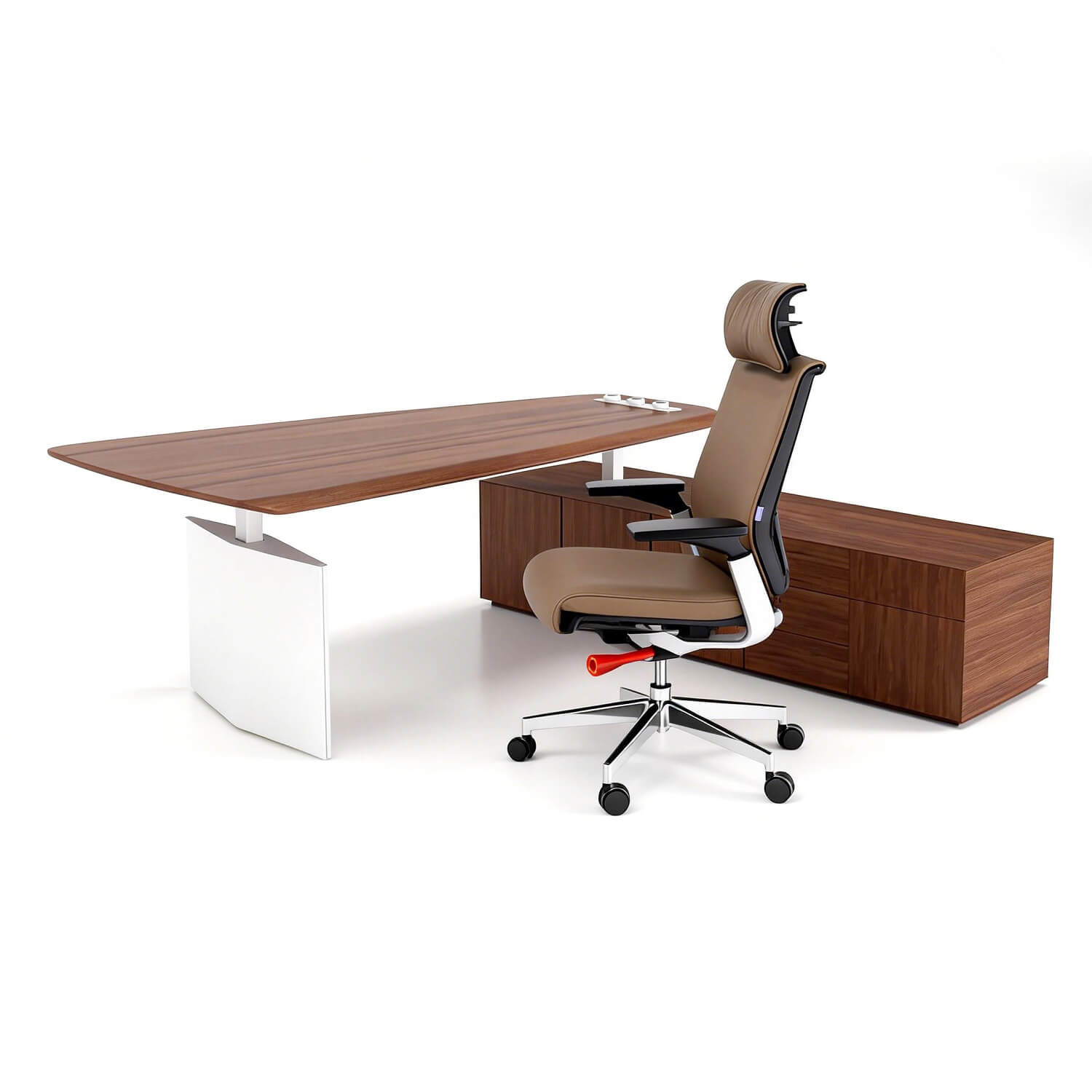
A desk-and-cabinet layout needs an outline of the whole assembly. The Ranks executive desk with side cabinet illustrates why: the cabinet extends beyond the main work surface. The image is a configuration reference, not a dimensioned drawing or proof of chair clearance.
Ask for the drawing that matches your configuration
For a shared bench, ask for both the complete assembly size and the usable space at each seat. The VIVA Double Row workstation page shows a shared layout, but its pictured arrangement does not establish a particular model's opening dimensions. Do not divide a run width by the advertised seat count and assume the result is clear working width.
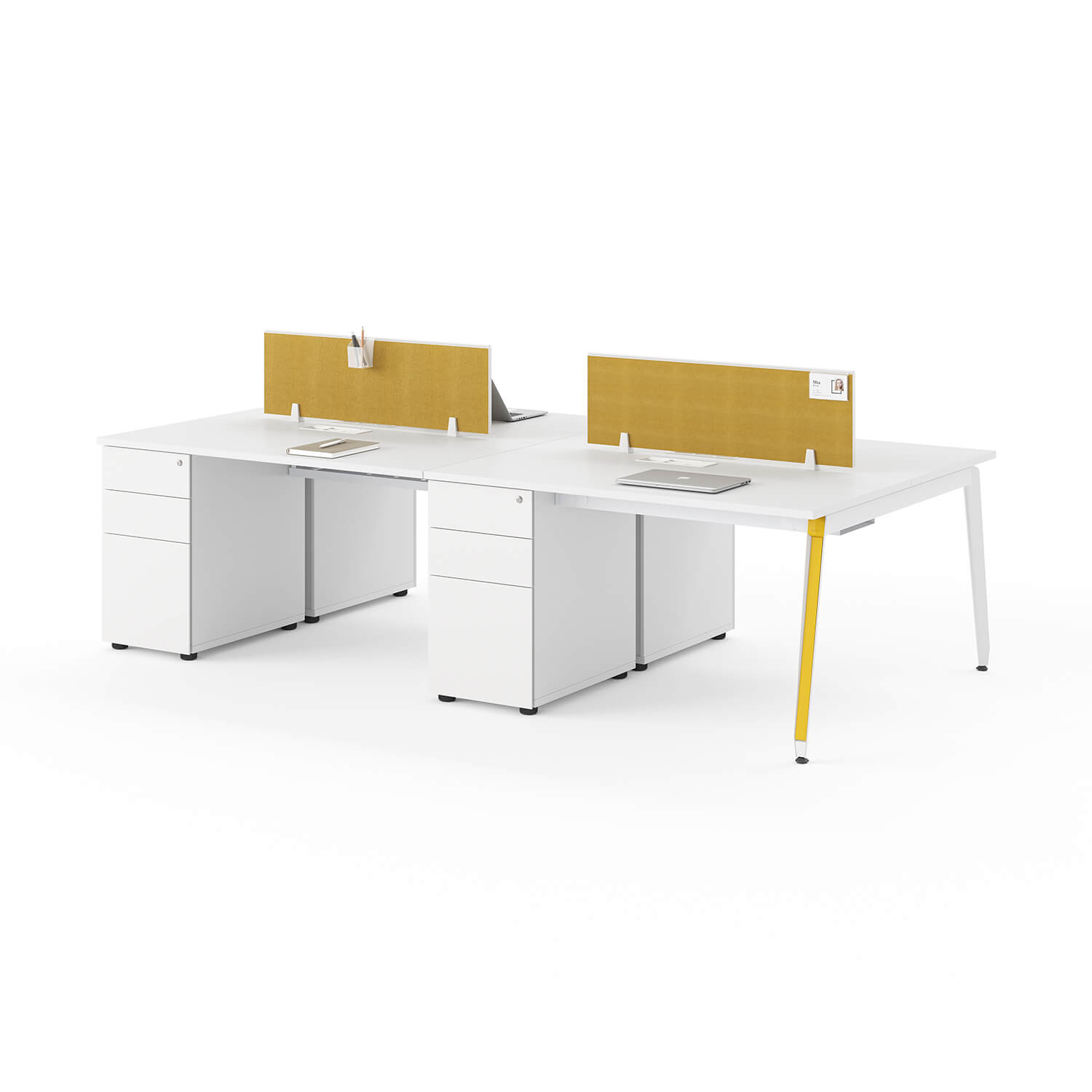
VIVA product-page image: cabinets and supports affect the opening at each seat. Confirm the exact configuration and clear spaces on a supplier drawing.
Identify the exact model, seat count, left/right orientation and drawing revision. List the components included in the proposed order.
Request overall assembly width and depth, plus each work surface's dimensions. Label every component on the plan.
Request clear height, clear width and knee/foot depth at each seat, with cabinets, beams, trays and panels shown.
Confirm the working height or adjustment range for the selected version. Check the lowest position against anything underneath.
Match the proposed chair, equipment and room measurements to the drawing. Record any fit question that still needs a physical trial.
Check delivery access using the supplier's packed sizes, largest rigid component and assembly instructions. Do not assume a desk that fits the room will pass through every doorway.
If a product row conflicts with another dimension, ask for written clarification before ordering. The public VIVA and Ranks listings do not by themselves resolve every clearance question. Use the images to discuss layout, not to estimate dimensions. CCOHS's purchasing checklist also warns that an ergonomic label is no guarantee of comfort; the intended users still need a chance to try the setup.
Frequently Asked Questions
Is a 1200 mm desk the same as a 48-inch desk?
Not exactly: 1200 mm is about 47.2 inches, while 48 inches is 1219.2 mm. A retailer may use a rounded size label, so check the drawing rather than treating the labels as identical. Keep any stated tolerance separate from conversion rounding.
How do I compare an L-shaped desk with a straight desk?
Compare the complete outside width and depth first, then the usable area along each working edge. Ask how the main top and return overlap; adding their lengths may overstate the assembly size. Also check which side the return occupies and whether it interferes with the chair or storage.
Can a storage cabinet stay under a height-adjustable desk?
Only if the selected desk and cabinet leave the required space throughout the permitted movement. Compare the lowest underside position, frame and moving parts with the cabinet's height and location. Follow the manufacturer's instructions; do not assume a desk that clears the cabinet when raised will clear it when lowered.
Turn the measurements into a checked shortlist
Keep a candidate on the shortlist only when its top, clear opening and room layout all meet the measured needs. Resolve missing or conflicting dimensions before placing an order. A completed equipment layout and room check make that conversation more specific.
Request a matched configuration drawing. Send SpaceUnited your equipment list, room measurements, seat count and storage needs through the inquiry form on the relevant product page. Ask the team to confirm the exact model and clear spaces shown on the drawing.


Complete Guide to Choosing L-Shaped Office Desks with Storage
An l-shaped office desk transforms any workspace by providing extra room and improved organization. With built-in storage, an l-shaped office desk keeps important items within reach, reducing clutter and distractions. Recent studies show that an l-shaped office desk makes storage more convenient.
/ Read More
What Makes a Modern Executive Office Desk Ideal for Productivity
A modern office desk executive drives productivity through features that blend ergonomic design, premium materials, storage, technology integration, and minimalist aesthetics. SpaceUnited’s innovative Modern Straight Line Workstation Employee Modular Desk sets a new standard for comfort and efficien
/ Read More
What is considered an executive office desk in private offices
An executive office desk shows where the boss works in a private office. This desk is big, so leaders can do their work easily. It has storage built in to keep important papers close. The executive office desk uses high-quality materials. This makes it look nice and last a long time.
/ Read More
What are the different types of modern office desks?
You can pick from executive desks, modular staff benching, collaborative tables, and special training desks. The right modern office desk helps you feel comfortable and work better. If your desk fits your work and space, you can focus more and have more ideas.
/ Read More
A Complete Guide to Industrial Office Desk Materials and Finishes
When you pick an Industrial Office Desk, the materials and finishes you choose change how your workspace looks and feels. They also affect how long your desk will last. The right surface helps you feel comfortable every day. It also keeps your desk looking nice and new.
/ Read More
Industrial Office Desk vs Traditional Desk Which Is Right for Your Workspace
You want a workspace that feels good and works well. Maybe you can’t decide between a classic executive desk or an industrial office desk. Your choice is important because space, privacy, and how you can adjust the furniture can change how happy and productive you are at work. Think about what you d
/ Read More