


Before ordering an office chair, check two things separately: whether the seat and arms fit the user, and whether the complete chair can reach the desk. Office chair dimensions such as overall width and total height cannot answer both questions.
Start with named measurement points, then record the adjustment settings and desk obstructions. CCOHS chair-selection guidance treats the person, workstation and task as a combined decision. The measurement record below helps a buyer compare candidates without turning a product photo or a vague size label into proof of fit.
Read office chair dimensions by their measurement points
Treat every number as a measurement between two named points. A listing that says only width, depth and height usually describes the chair's exterior; ask for the usable seat measurements separately. Keep this map beside the supplier's drawing.
Chair measurements: what to record and what each one tells you | ||
Dimension | Measurement points | Use it to check |
|---|---|---|
Usable seat width | Side to side across the supported sitting area, excluding raised edges that cannot be occupied | Room for hips and thighs |
Inside arm spacing | Clear gap between the inner arm surfaces at the stated setting | Body clearance and access between the arms |
Outside arm span | Outermost arm-pad or support edges, including whichever projects farther | Passage through the desk opening |
Overall chair width | Widest part identified on the full-chair drawing | External space, not necessarily seat width |
Effective seat depth | Back-contact position to the usable front seat edge | Thigh support with clearance behind the knees |
Overall depth | Frontmost to rearmost chair point in a stated position | Space occupied upright, reclined or stored |
Seat-height range | Floor to seat surface at minimum and maximum settings | Whether the needed sitting height is available |
Total chair height | Floor to top of backrest or headrest | Overall height; not sitting height |
Floor-to-arm height | Floor to top of arm pad at the chosen seat and arm settings | Vertical clearance below the desk frame |
Base/caster footprint | Full floor projection of the base and wheels | Room around desk feet and other obstructions |
Use one unit throughout the comparison: 1 inch equals 25.4 mm. Record whether measurements are taken with someone seated, whether the seat compresses, and which arms, wheels and headrest are installed. Ask for a marked drawing if the supplier uses a different seat reference point. A travel distance describes movement, not the starting or ending height.
Measure the sitting position before choosing a size
Use a chair that already fits reasonably well as a reference, but note what still feels wrong. Wear normal work shoes and clothing. A second person can help read the tape while the employee stays seated; record the result as a starting point, not a guaranteed specification.
Height: with feet supported and the back resting against the backrest, record floor-to-seat height at the named reference point. Also note floor-to-back-of-knee height; do not derive a final seat setting from standing height alone.
Depth: measure the usable distance in front of the back-contact position. Check that the seat supports the thighs without its front edge touching the backs of the knees. Record both endpoints if the seat slides.
Width: record usable seat width and the space the seated hips and thighs occupy. Check side contact and room to change position; then measure inside arm spacing separately.
Arms: record the arm setting that supports the forearms without lifting the shoulders or pulling the elbows outward. Note pad-to-seat height and floor-to-pad height at that setting.
OSHA's chair guidance recommends trying chairs before buying and checking seat-pan support, knee clearance and arm placement. A wide seat does not solve unreachable armrests, and a low seat does not solve excessive depth. Test those relationships together instead of selecting from a single height band.
If feet lose support when the chair reaches the work surface, evaluate the desk height and a suitable footrest as part of the trial.
If moving forward to clear the knees removes back support, trial a shallower effective seat depth.
For shared seating, record each intended user's fit rather than approving the chair from one person's result.
Check working clearance separately from storage
Measure below the desktop, not to its top surface. A drawer, support rail or cable tray can be the lowest obstruction. Check the full route the chair must follow, because a wide front opening can narrow farther underneath.
Working position: compare floor-to-arm height with the lowest obstruction where the arms need to enter. Use the seat and arm settings that fit the employee.
Side clearance: compare outside arm span with the narrowest clear opening along that route. Check projecting brackets as well as the arm pads.
Legroom: while seated, check space above the thighs and around knees and feet. A chair can clear the frame while the employee cannot.
Floor footprint: check the wheels and base against desk legs, pedestals and nearby objects. Include turning and backing out, not just a stationary outline.
Storage position: record any permitted lowering or arm adjustment separately. Confirm those features on the ordered configuration; do not assume arms fold or detach.
Keep the measurements paired by position. Subtracting the chair's floor-to-arm height from the desk's clear height gives the vertical difference at that location. A negative result means interference; a positive result is only an initial clearance check, not approval of the complete workstation.
Hypothetical example: parks underneath, fails at working height
Assume a desk has 27 inches of clear height beneath its front rail. The candidate chair's arms reach 27.5 inches above the floor at the employee's working setting: 27 − 27.5 = −0.5 inch. The arms cannot pass that rail at this setting.
Assume the same chair's approved storage setting puts the arms at 26 inches: 27 − 26 = 1 inch. It clears that rail vertically when stored, but working clearance still fails. Width, legroom and movement remain separate checks. These are invented dimensions, not a SpaceUnited model or a required safety margin.
Do not lower a working seat solely to make a failed arm clearance look acceptable. OSHA's armrest guidance notes that obstructed chair placement can force reaching. Trial a compatible chair or a different desk arrangement, and have the supplier confirm measurement tolerances before ordering a close fit.
What the current SpaceUnited listings actually establish
The three listings below were checked on August 28, 2026. Their tables provide external dimensions, not enough information to approve body fit or desk fit. VASEAT's procurement guide similarly recommends comparing usable dimensions and adjustment endpoints; that is a supplier recommendation, not testing of these chairs.
Listing and listed variants | Published external D × W × H | Still needed before a fit decision |
|---|---|---|
Premium mesh: SU-ST-MH-10, -9, -5, -4, -8 | 620 × 690 × 1140–1350 | Seat-height and effective-depth endpoints; usable seat width; inside/outside arm measurements; floor footprint |
Executive leather: SU-ST-MH-6, -11 | 620 × 690 × 1140–1350 | Same fit fields; exact arm/base options and any footrest configuration |
Staff/visitor-titled page: SU-ST-MH-7, -2, -1 | 620 × 690 × 950–1160 | Same fit fields; confirm the staff-chair configuration described in the body against the visitor/fabric title |
These values are published claims, not measurements taken for this guide. On the Premium Black Nylon Breathable Mesh Ergonomic Office Chair page, the shared copy mentions 50 mm of seat-depth travel and 70 mm of vertical travel. Neither supplies the minimum and maximum usable dimensions; the page's flip-up and 4D arm descriptions also need configuration-specific clarification.

Original illustration on the premium mesh listing. It shows external dimensions, but no usable seat-width, seat-depth or seat-height endpoints; a specific SKU-to-diagram match is not stated.
The two executive variants require their own confirmation. The Modern Executive Leather CEO Manager Ergonomic Chair listing attributes its large load figure to the five-star base, not a verified user-weight rating for the complete chair. Do not use that figure to approve a buyer's weight or infer performance from the listed dimensions.
The diagram's 1140–1350 mm dimension runs over the chair's full height. It is not a seat-height range.
The 690 mm label does not establish usable seat width or clear arm spacing. Those fields remain unknown.
The SU-ST-MH-10 image identifies the pictured variant on its specification row. It does not establish adjustment endpoints, optional-part availability or the measurements of other variants.
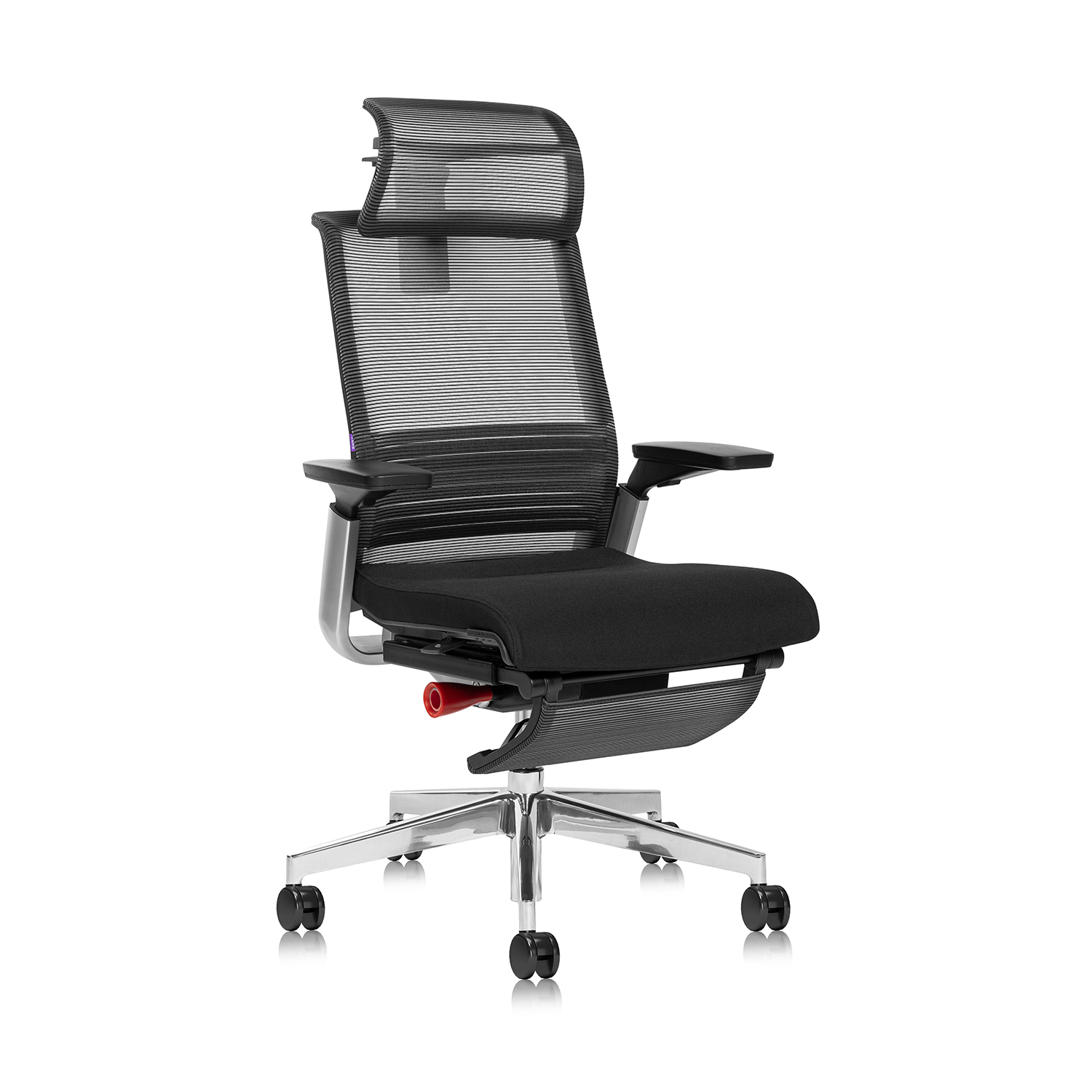
Image attached to the SU-ST-MH-10 specification row. Use it to identify the pictured variant, not to measure the chair or confirm every selectable option.
The remaining page also needs clarification. The Home Computer Swivel Chairs listing uses visitor/fabric wording in its title but describes a mobile mesh staff chair in its body. Keep that model family on hold for a specific fit recommendation until the supplier identifies the ordered configuration and supplies the missing measurements.
Copy this fit record before requesting a chair
Copy or print this record once per candidate and employee. Use the same units and measurement points for each chair. CCOHS recommends letting the intended user try shortlisted chairs in a real work situation; a completed specification sheet helps organize that trial but does not replace it.
Identification — model/SKU: ______; arms, base, wheels and accessories: ______; supplier drawing/version/date: ______.
Conditions — employee reference: ______; shoes: ______; units: ______; occupied or unoccupied measurements: ______.
Seat — height min/max: ______; effective depth min/max: ______; usable width: ______; chosen settings: ______.
Arms — inside gap: ______; outside span: ______; floor-to-pad height at working setting: ______; at storage setting: ______.
Desk — lowest clear height along approach: ______; narrowest opening: ______; obstructions/legroom notes: ______.
Movement — base/caster footprint: ______; roll-in, swivel and exit checks: ______; recline space if needed: ______.
Trial — task and duration: ______; foot/back support, knee gap and arm reach observations: ______; problems: ______.
Decision — trial-ready / needs clarification / unsuitable for this setup: ______; open questions and responsible person: ______.
Keep unverified measurements marked unknown; do not fill them from a photograph or a different variant. Retain the approved configuration with the purchase record so a later substitution can be checked against the same requirements.
Proceed to a trial when the critical measurements and configuration are clear.
Request clarification when a range, reference point or option is missing.
Trial another candidate or revise the workstation when a necessary fit check fails.
Questions to resolve before ordering
Can I buy without trying the chair first?
You can screen candidates from documented dimensions, but fit remains unconfirmed. Ask whether a sample or return arrangement is available, get the actual terms before ordering, and do not assume the seller offers either option.
Should I measure with an extra seat cushion or back cushion?
If you intend to use one, record that setup separately: an added seat cushion changes the sitting surface, and a back cushion moves the back-contact point. Do not compare that record directly with the supplier's bare-chair measurements or treat an accessory as proof that a poorly sized chair will fit.
What if one supplier uses inches and another uses millimeters?
Convert both records to the same unit before comparing, while retaining the original values. Avoid rounding a tight clearance into a pass; request the supplier's dimensional tolerance and confirm the actual configuration in a trial.
Confirm the configuration before you commit
Approve a chair against the employee's working position, the actual desk opening and the exact supplied configuration. Keep unresolved fit dimensions open until they are confirmed; a clear external-size table alone is not a completed fit check.
Planning a SpaceUnited chair purchase? Use the relevant product page's inquiry option to request the missing dimensions. Include the SKU, desk measurements and completed fit record before confirming the configuration.


What is the best office chair for sitting all day?
The best office chair for sitting all day gives great support and comfort. It also helps keep your body healthy. SpaceUnited is a top company for ergonomic office furniture. They make smart chairs that help people feel better at work. Studies show an ergonomic office chair can help you work better.
/ Read More
What are the ergonomic considerations for an office chair?
An office chair should have many ergonomic features. These features help people stay comfortable and healthy at work. You should look for adjustability, lumbar support, seat height, armrests, tilt, good material, and a strong base. These things stop pain, help you focus, and keep your posture good.
/ Read More
How to properly adjust an office chair for optimal comfort?
Many people sit at desks and ask why their backs hurt or shoulders feel tight. An office chair that fits well can help a lot. Changing things like lumbar support, seat depth, and armrests lowers strain. It keeps your body relaxed and helps you sit in a healthy way. SpaceUnited makes ergonomic office
/ Read More
What are the benefits of using an office chair?
An office chair has many good things for people who sit a lot. People feel less pain and have more energy with a work chair. Regular chairs do not move and do not give much support. Ergonomic chairs help your body feel good and stay healthy. Many workers can focus better and hurt less with ergonomic
/ Read More
What are the different types of office chairs?
When you walk into a modern office, you will see many types of chairs. There are swivel, ergonomic, modern, visitor, leather, and mesh chairs. Each type gives something special to your workspace. SpaceUnited offers new ideas for all these office chairs. This helps you find the chair that fits your n
/ Read More
What are the best office chairs?
When people talk about the best office chairs, the Steelcase Gesture is often first. Testers say it is very comfortable. It fits many body types because you can adjust it a lot. It gives good support. The Herman Miller Aeron is known for being strong and letting air flow through. This is great if yo
/ Read More
What are the Different Types of Office Chairs?
What are the Different Types of Office Chairs?Sitting in a busy office, struggling with daily tasks, and the glow of computer screens is already a norm for you. But sitting on the wrong chair? That shouldn’t be. Office chairs are the most important tools needed in an office as they shape your comfor
/ Read More